

Full Service
Plans
Comprehensive roadmap execution from infrastructure to identity.
Explore PlansEnterprise SaaS
Ask for a report and get a report.
One reporting layer that pulls every dashboard data source into date-filtered PDF and CSV exports you can generate by simply asking an AI assistant.
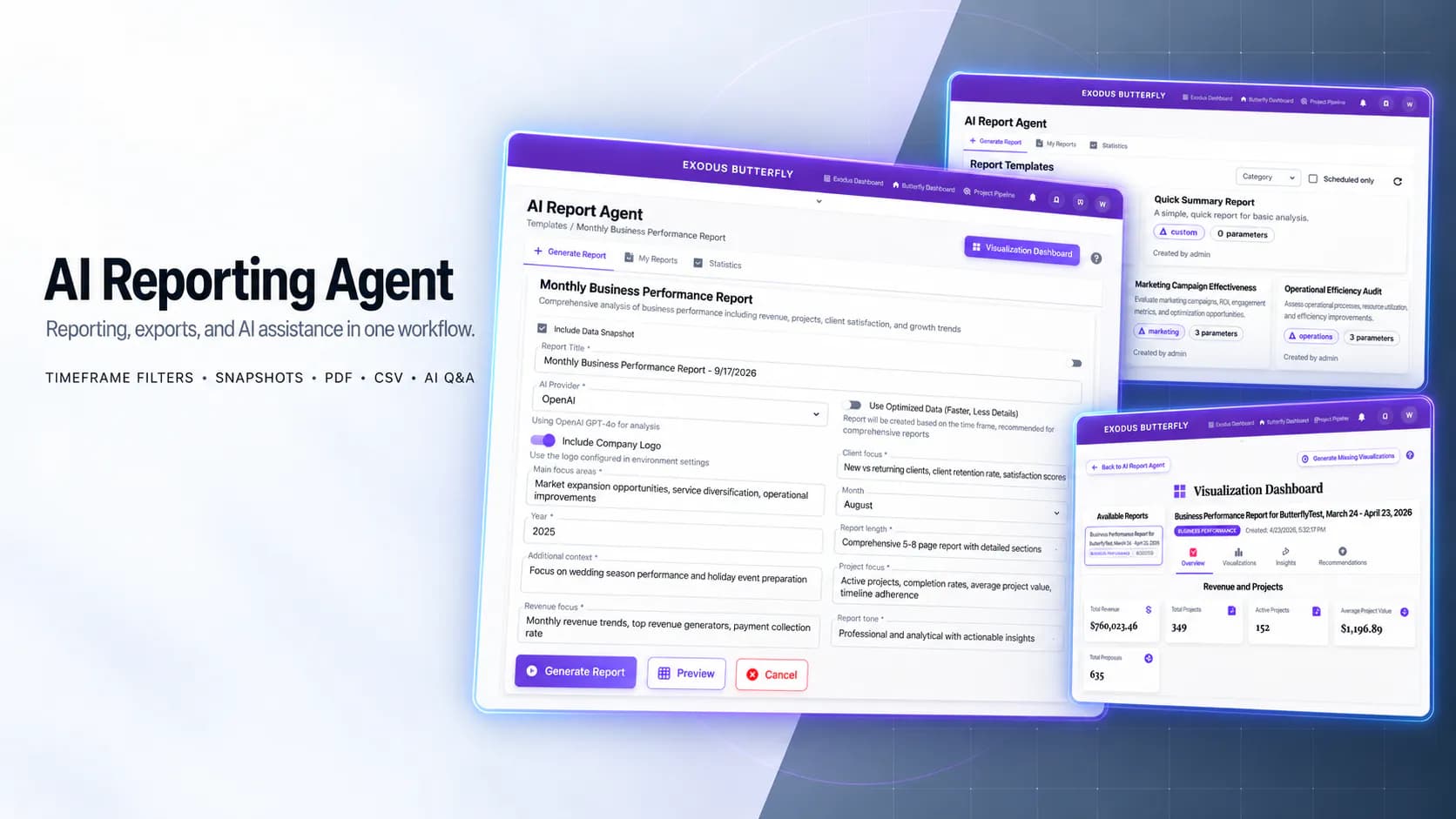
The AI Reporting Agent expands a reporting system to cover all dashboard data sources. It applies the same date filtering across reports and snapshots. PDF and CSV export work across the board. The whole thing connects to an AI assistant so users can ask reporting questions and trigger exports by conversation. It serves business teams who need reliable numbers across projects, contacts, payments, proposals, tasks, leads and orders. They don't have to learn a reporting tool.
Reports and snapshots covered only a narrow slice of the business. Projects, contacts, payments, proposals, tasks, leads and orders were missing from reporting output. There was no clear inventory of which dashboards, models and APIs fed reporting. So nobody could say what data was in scope, what should be excluded and where personal data and volume limits applied. Date filtering behaved differently between reports and snapshots. The same timeframe gave different results depending on which path a user took. That's worse than no filtering at all because it looks correct. Snapshot creation silently dropped date filters. The pipeline never accepted or passed start and end dates through. Users had no preset timeframes such as last 7 days, last month or this quarter. Routine reporting meant manual workarounds. Export coverage was uneven. Expected PDF or CSV downloads were simply unavailable for some report types. Pulling broad "all dashboard data" was a real performance liability with no guardrails on range size or row volume. And reporting was cut off from the AI assistant. Users could not ask a question or trigger a report through conversation.
We started with discovery rather than code. A full dashboard and widget data inventory mapped each source API, model, exclusion, personal-data consideration and volume limit. So the scope of "all dashboard data" was actually defined before anything got built. We then expanded coverage to projects, contacts, payments, proposals, tasks, leads and orders. New data categories and aggregated read-only endpoints feed reports and snapshots without disturbing the systems that own that data. Global date-range filtering shipped with presets for last 7 days, last month and this quarter alongside custom ranges. It is wired end to end through backend and front-end controls. Snapshot creation was extended to accept and pass those dates through. That closed the gap where filters were silently ignored. Each generated report gained a PDF export path. Snapshots and meaningful report data gained CSV export with clear download actions in the interface. The AI assistant was integrated for reporting questions. It also got commands to generate PDF reports, export CSV data and create snapshots through a defined reporting context and action interface. To keep large-data reporting stable we added asynchronous generation, chunking, row caps and maximum range limits.
Our role included saying no to some things. That mattered as much as what we built. A requirement as open-ended as "all dashboard data" invites unbounded scope creep. So we insisted on a documented data inventory with explicit exclusions before implementation began. We extended the existing reporting and AI report pipelines. We didn't merge the plugins or build a parallel reporting system. That kept the architecture clean and the maintenance burden low. We kept snapshot viewing export-only rather than adding an in-app table view. We also deferred a dedicated report-accuracy sprint so accuracy could be iterated inside normal reporting work instead of becoming a separate project. Performance was planned rather than discovered. Range limits, row caps, chunking and asynchronous generation were designed in from the start.
Backend: Django REST, Reports plugin, AI Report Agent plugin, enhanced snapshot service. Frontend: React 18, TypeScript, Vite, MUI. AI and exports: Gemini and OpenAI, PDF export, CSV export, Google Generative AI SDK. Data sources: projects, contacts, payments, proposals, tasks, leads, WooCommerce orders.
Users can now report across the full set of dashboard data sources. Projects, contacts, payments, proposals, tasks, leads and orders are all in scope. Reports and snapshots use identical date-range behaviour. A chosen timeframe gives the same trustworthy result wherever it is applied. Snapshots honour the dates users select. The silent loss of filters that used to produce misleading output is gone. Preset timeframes make routine reporting fast and custom ranges are there when needed. Each user-facing report and data path now exposes the expected PDF or CSV download. Teams can drive reporting through conversation. They ask questions and trigger report generation, CSV exports and snapshot creation straight through the AI assistant. Large-data reporting stays stable thanks to asynchronous generation, chunking, row caps and range limits. A documented dashboard inventory with defined exclusions keeps reporting scope controlled. The existing reporting plugins stay cleanly separated while sharing the same filtering and export behaviour.
Project at a Glance

Hivebuy streamlines procurement workflows from request through approval, bringing clarity and efficiency to every purchasing decision.

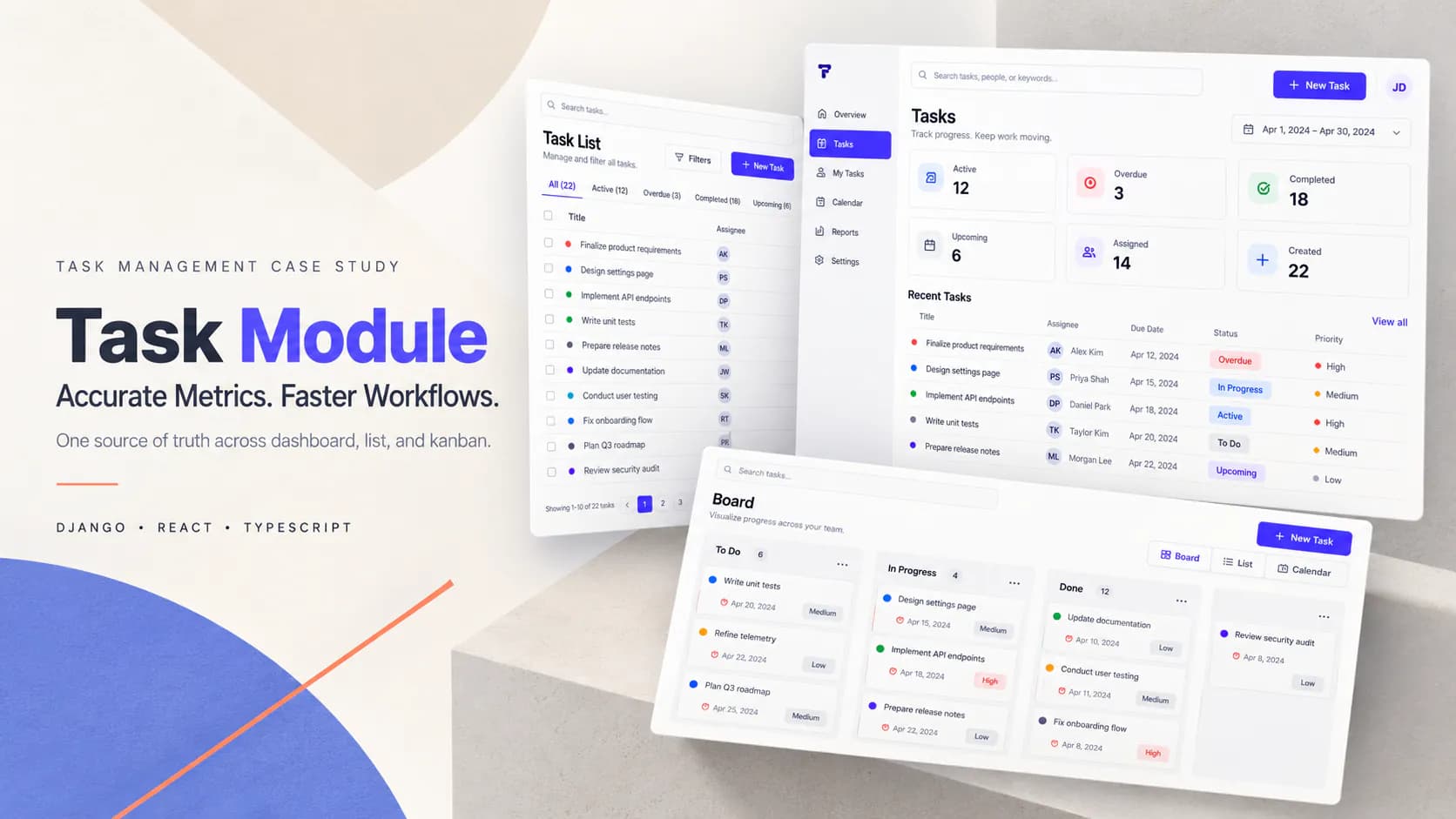
We made task dashboards count what they say they count, and made the lists, boards, and cards load fast.
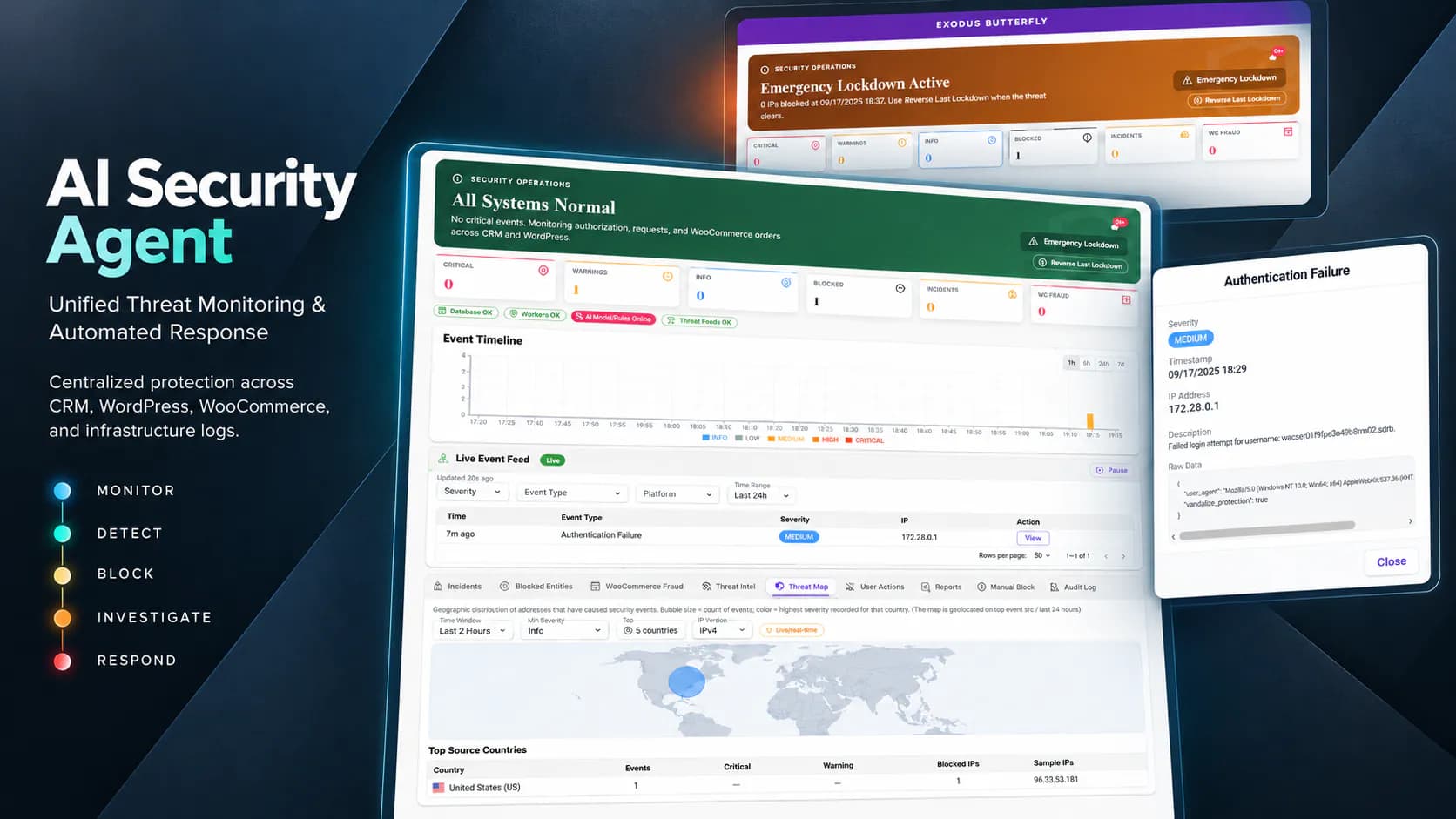
One security brain that watches your CRM, WordPress, and WooCommerce in real time — detecting attacks, scoring fraud, and blocking bad actors everywhere at once.